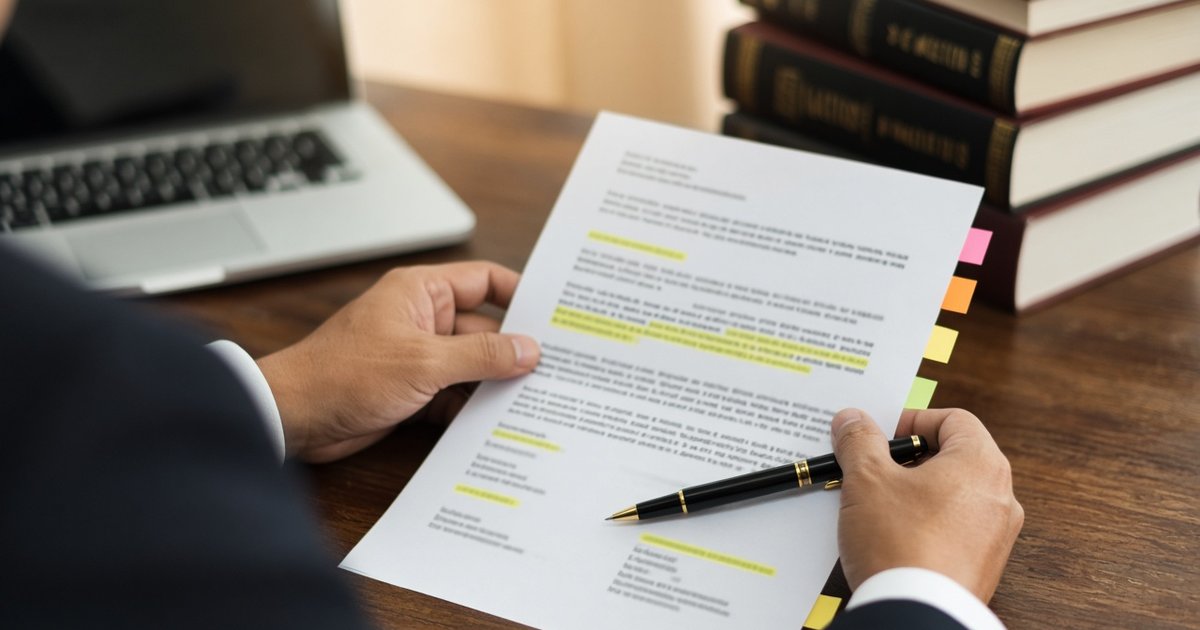
A familiar failure mode of legal drafting goes like this: you stare at a blank Word document, open a folder of old pleadings to find something close enough to copy, paste in the caption and prayer, rewrite the middle to match your facts, and hope you remembered every element the rules require. If you are a junior associate or a law student, the template you found may itself be incomplete. If you are drafting something you have never filed before, there may be no template at all.
The blank page is not the hard part. The hard part is knowing what that document must contain — the elements, the periods, the verification, the certification against forum shopping for certain pleadings, the governing rule, the prayer — and writing it without leaving a gap that a motion to dismiss will exploit.
That is what general chatbots get wrong. You ask ChatGPT or a similar tool to draft a complaint, and it produces something that reads well, looks formal, and cites a rule that was amended in 2019, or a case that does not exist, or invents your client's full name and the docket number because those sound like the kind of details a real complaint should have.
The output is not careless. It is confident. That makes it worse.
Why chatbots fail at legal drafting
Large language models like ChatGPT are trained on vast amounts of text from the internet. They learn patterns: what a demand letter looks like, what a complaint usually says, how a motion is usually structured. When you ask them to draft a document, they produce text that matches those patterns.
But legal drafting is not about matching a pattern. It is about compliance with a rule. A complaint must state a cause of action under Rules 2, 7, and 8 of the Rules of Court. A motion to dismiss may only invoke the three grounds that survived A.M. No. 19-10-20-SC, the 2019 Amendments. An ejectment complaint in a first-level court must follow the 2022 Rules on Expedited Procedures in Civil Cases. A complaint-affidavit filed with the Prosecutor's Office must follow the 2024 DOJ-NPS Rules on Preliminary Investigation.
A chatbot trained on text from the internet has no way to know which rule governs the document you are asking for. It has no library of the actual provisions to retrieve. It has no table of superseded rules to check. It writes from memory, and memory is unreliable when the law has changed.
The confidence problem
A chatbot that makes case law up is worse than a blank page. At least the blank page does not pretend to be research.
Purpose-built legal AI still hallucinates on 1 in 6 to 1 in 3 queries, according to studies we cited in An AI that gives legal opinions is a liability, not a lawyer. General chatbots are worse.
How BatasDB Draft Assistant works differently
The BatasDB Draft Assistant is not a chatbot. It is a drafting tool built on top of a legal search engine. Instead of writing from memory, it writes from the rule that governs the document you asked for.
The workflow is straightforward. You type what you need in one sentence on the search page — "draft a demand letter for unpaid rent, tenant Ana Reyes, ₱45,000 for March and April". BatasDB matches that request to one of 19 catalogued document types, retrieves the governing provisions from the library, checks them against a maintained table of superseded rules, and writes the first draft against a checklist of what that document must contain.
Facts you did not supply come back as marked blanks, counted at the top of the draft and highlighted in the Word and PDF exports. A missing docket number, a client's full name, a date you did not specify — those are never invented. They are left blank for you to fill.
Citations are grounded. The draft may cite only the provisions and cases that were actually retrieved from the BatasDB library for that document type, plus any authority you named yourself. If it cannot find the law, it leaves a marked "authority needed" flag instead of a citation that merely looks right.
What marked blanks look like in practice
A junior associate asks: "draft a demand letter for unpaid rent, tenant Ana Reyes, ₱45,000 for March and April".
The Draft Assistant knows the structure of a demand letter and the facts supplied in the request. It writes:
5 items need review · 0 authorities retrieved
Dear Ms. Reyes, This letter is a formal demand for payment of unpaid rent in the amount of ₱45,000.00 covering the months of March and April 2026 for the lease of [FACT NEEDED: property address]. Under Article 1673 of the Civil Code, the lessee is obliged to pay the price of the lease according to the terms stipulated. Your failure to pay constitutes a breach of our lease agreement dated [FACT NEEDED: lease date]. We demand that you pay the full amount of ₱45,000.00 within [FACT NEEDED: number of days, e.g. seven (7) days] from receipt of this letter. Payment may be made to [FACT NEEDED: payment details or address]. If we do not receive payment by the deadline, we will be constrained to take legal action to recover the amount due, plus interest, attorney's fees, and costs of suit, without further notice. Very truly yours, [CONFIRM: your name and signature] [FACT NEEDED: your address]
The draft filled in what was supplied — the tenant's name, the amount, the months — and left a marked blank for every fact that still needs the lawyer: the property address, the lease date, the payment deadline, the payment details, and a confirmation flag on the sender's name.
That is the discipline. An unfilled blank is visible, it is counted, and it cannot slip through. A general chatbot would have invented a plausible-looking address and a lease date, and you would have caught it only if you read carefully.
How it handles pleadings that argue the law
Demand letters and affidavits do not usually cite cases. Pleadings and motions do. For the 8 document types that argue the law — complaints, answers, motions to dismiss, ejectment complaints, NLRC position papers, and legal memoranda and opinions — the Draft Assistant retrieves the governing provisions and the supporting cases from the BatasDB library before it writes the first draft.
A law student asks: "draft a motion to dismiss on the ground of lack of jurisdiction over the subject matter, civil case for specific performance involving a contract where the amount is ₱150,000".
The Draft Assistant retrieves Rule 15, Sec. 12 of the Rules of Court as amended by A.M. No. 19-10-20-SC, which lists the three surviving grounds for a motion to dismiss. It retrieves the provisions on jurisdiction from Batas Pambansa Blg. 129 as amended by Republic Act No. 11576, which raised the jurisdictional threshold of Metropolitan Trial Courts to ₱400,000. It writes the motion, cites what it retrieved, and leaves blanks for the branch, the docket number, the parties' names, and the filing date.
That is a document drafted from the rule in force, not from a template someone saved in 2018.
What the superseded-rule check catches
Legal research systems fail when they return the right title of a rule but the wrong version. A search for "motion to dismiss" might return Rule 16 of the old Rules of Court, which listed eight grounds. A.M. No. 19-10-20-SC, the 2019 Amendments, reduced those to three. A motion filed on a ground that no longer exists is dead on arrival.
The Draft Assistant runs every retrieved provision through a maintained table of rules that have been amended, deleted, or replaced. If the rule governing your document was superseded, the citation is corrected to the rule in force or dropped entirely before the draft is written — not caught afterwards.
The check runs on four major updates Philippine lawyers and law students often miss:
- A.M. No. 19-10-20-SC, the 2019 Amendments to the 1997 Rules of Civil Procedure, which reduced the grounds for a motion to dismiss from eight to three and introduced the reverse-trial rule for affirmative defenses.
- A.M. No. 08-8-7-SC, the 2022 Revised Rules on Summary Procedure (now called Rules on Expedited Procedures in Civil Cases), which govern ejectment and other first-level-court cases.
- DOJ Department Circular No. 015, s. 2024, the 2024 DOJ-NPS Rules on Preliminary Investigation, Inquest, and Other Quasi-Judicial Proceedings, which replaced Rule 112 of the Rules of Court for preliminary investigation.
- NLRC Resolution No. 01-25, the 2025 NLRC Rules of Procedure, which govern position papers and other pleadings before the National Labor Relations Commission.
That table is maintained, not inferred. A chatbot writing from memory has no way to know that Rule 112 no longer governs preliminary investigation for cases filed after 1 January 2025.
What it refuses to draft matters as much as what it drafts
A drafting tool earns trust by being honest about its edges. The Draft Assistant refuses three kinds of requests rather than improvising:
Document types it has no checklist for. A request outside the 19 catalogued formats is turned away with a plain "not yet" instead of a confident-looking document assembled from a generic shape — and you are not charged for it. Three of those 19 formats were added exactly that way: the Legal Opinion, the Offer to Purchase, and the Non-Disclosure Agreement all came from refusals.
Pleadings that are prohibited. Ask for a motion to dismiss on a ground the 2019 Amendments removed, or a motion for extension in a case under the Expedited Rules, and it explains that the motion is prohibited and names what you can file instead — rather than drafting the motion anyway.
Anything it cannot ground. If the Draft Assistant cannot retrieve the governing provisions or the supporting cases for a pleading that argues the law, it leaves a marked "authority needed" flag instead of a citation that looks right but points nowhere.
Important: every draft carries a standing notice: AI-generated draft — review before filing or signing. Not legal advice. The draft is a starting point for a lawyer, not a substitute for one.
19 document types, each tied to the rule it comes from
The Draft Assistant produces 19 Philippine document types, each written against a checklist of what that type must contain. The list is stated plainly rather than as a sample, because a document type outside this list is refused rather than improvised:
- Complaint — Rules 2, 7, and 8, Rules of Court
- Answer — Rules 6, 7, 8, and 11, Rules of Court
- Ejectment Complaint (Forcible Entry / Unlawful Detainer) — Rule 70 + 2022 Expedited Rules
- Motion to Dismiss — Rule 15, Sec. 12, as amended by A.M. No. 19-10-20-SC
- Complaint-Affidavit — 2024 DOJ-NPS Rules (DOJ D.C. No. 015, s. 2024)
- Counter-Affidavit — 2024 DOJ-NPS Rules, Secs. 9 and 10
- NLRC Position Paper — 2025 NLRC Rules, Rule V, Sec. 11
- Judicial Affidavit — A.M. No. 12-8-8-SC, Judicial Affidavit Rule
- Affidavit of Loss — 2004 Rules on Notarial Practice
- Demand Letter
- Offer to Purchase
- Legal Memorandum
- Legal Opinion
- Special Power of Attorney — Civil Code art. 1878
- Non-Disclosure Agreement — Civil Code art. 1306
More formats are added on request. If the one you need is missing, ask for it inside the app — the refusal itself is what puts it in the queue.
The workflow: ask, fill, export
Legal drafting is hard because knowing what the document must contain is harder than writing the words. The Draft Assistant already has that checklist. You describe the matter, it writes the first draft, and you fill in what only you know.
Ask in one sentence. Type what you need the way you would ask a junior associate — "draft a complaint for breach of contract, plaintiff Juan Santos, defendant XYZ Corporation, contract dated 15 March 2025, unpaid balance ₱250,000". No template to hunt, no blank Word file to start from.
Fill the blanks it left. The first draft is written against the checklist for that document type. Names, dates, amounts, and docket numbers you did not give come back as marked blanks, counted at the top, so you can see in one pass what still needs you.
Export to Word or PDF. Rewrite freely in the editor, then export with the unfilled blanks highlighted. Editing, exporting, and duplicating are free — only generating a new draft uses credits (5 credits per draft).
Still being improved — review before filing
The Draft Assistant is a working product, not a finished one. It produces first drafts that are grounded in retrieved authority, but those drafts still need a lawyer's review before they are filed or signed.
The superseded-rule check catches the major amendments Philippine lawyers often miss, but it is not exhaustive. The marked-blank system prevents the AI from inventing facts, but you still need to verify that the facts you supplied are correct and complete. The citation discipline ensures that every authority cited was actually retrieved, but you still need to read the cases and provisions to confirm that they support the argument.
That is the honest framing. The Draft Assistant makes the first draft faster and more reliable than a blank page or a chatbot, but it does not replace the lawyer.
Try the Draft Assistant
The BatasDB Draft Assistant is available now at https://batasdb.ph. You can draft a demand letter, a complaint, a motion, or any of the 19 document types from a single sentence on the search page. Generating a draft uses 5 credits; editing and exporting are free.
For the reasoning behind the product, see the Draft Assistant page. For more notes on how we think about legal research and drafting systems, see the BatasDB blog.
If you are a law school, law firm, or government agency that wants to pilot the Draft Assistant for your students or lawyers, reach us at [email protected].